Payments
Payments are a type of transactional entry that indicates the transfer of funds.
Payments usually follow a sale or a purchase, depending on this a Payment entry can be made to either Receive or Pay funds.
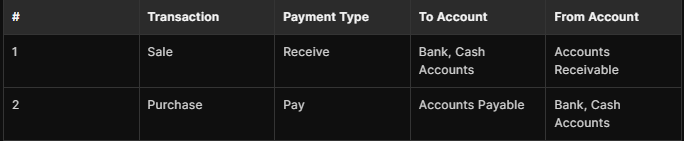
Making Payments
To make a Payment first navigate to the Payment page
- For Sales:
- For Purchase:
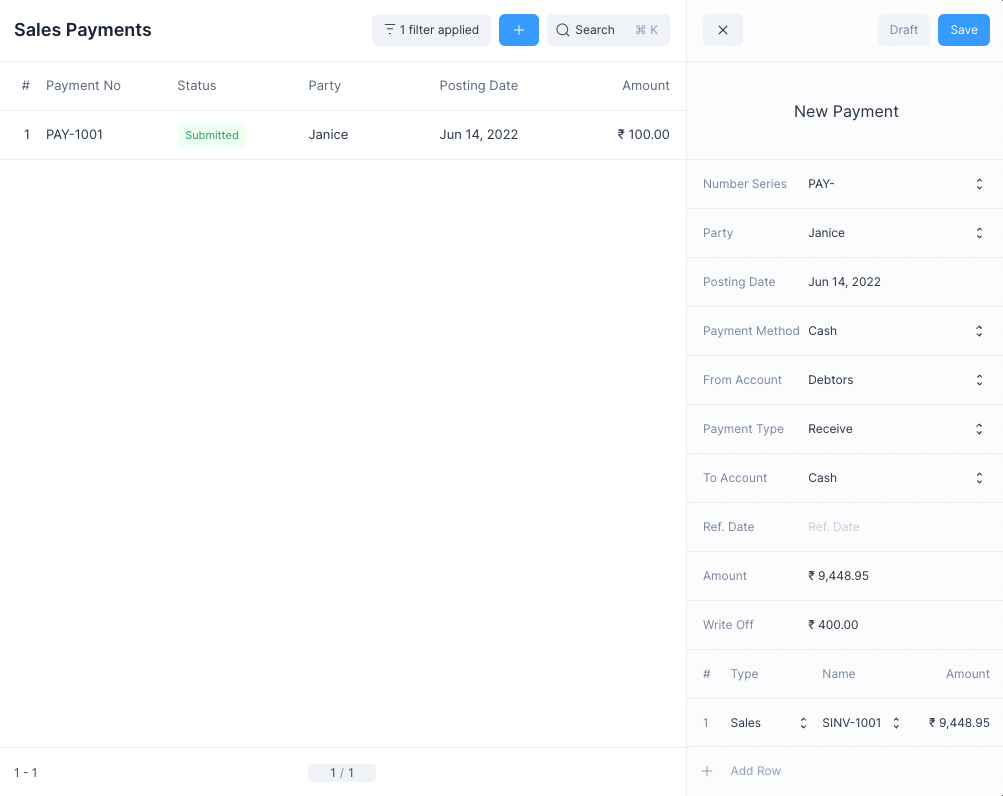
You can select the Party and enter other the details of the Payment.
Once the details have been set you can click on Save and then Submit to record the Payment.
Payment Reference
If the Payment is being made for an invoice, you can add a reference to the invoice in the table at the bottom.
This will update the Outstanding Amount on the invoice.
::: tip Invoice Payment A more convenient way of settling an Invoice Payment is to do so using the Make Payment option from the Invoice Form. :::
Write Off Amount
The write off amount is a deduction on the payment.
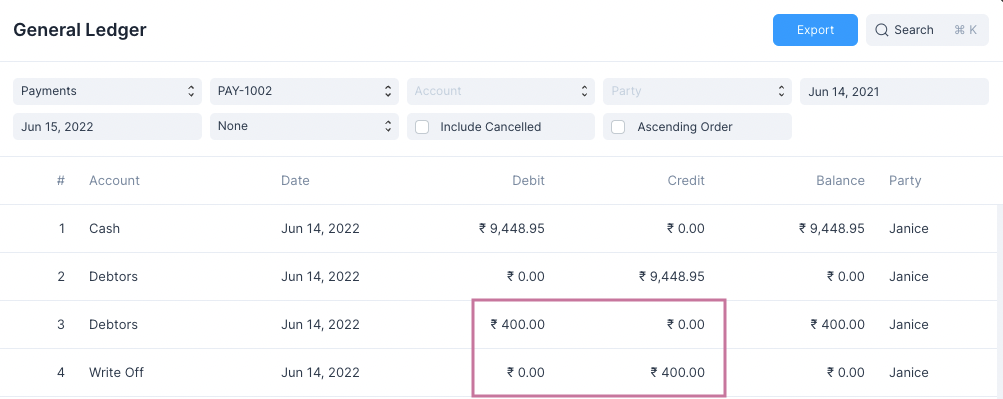
::: info Transfered Amount The final amount to be paid or received = Amount - Write Off :::
Making Payments from Invoices
To make an Invoice Payment to settle the Outstanding Amount of a Sales Invoice or a Purchase Invoice, you can navigate to the Invoice form and click on the Make Payment button under the
menu.For more information check these links: