Journal Entries
Journal Entries are transactional entries used to record transactions that don’t strictly identify as a Sale or Purchase. Such as the transfer of funds from a Bank Account to a Cash Account.
Creating Journal Entries
To create a Journal Entry first navigate to the Journal Entry page
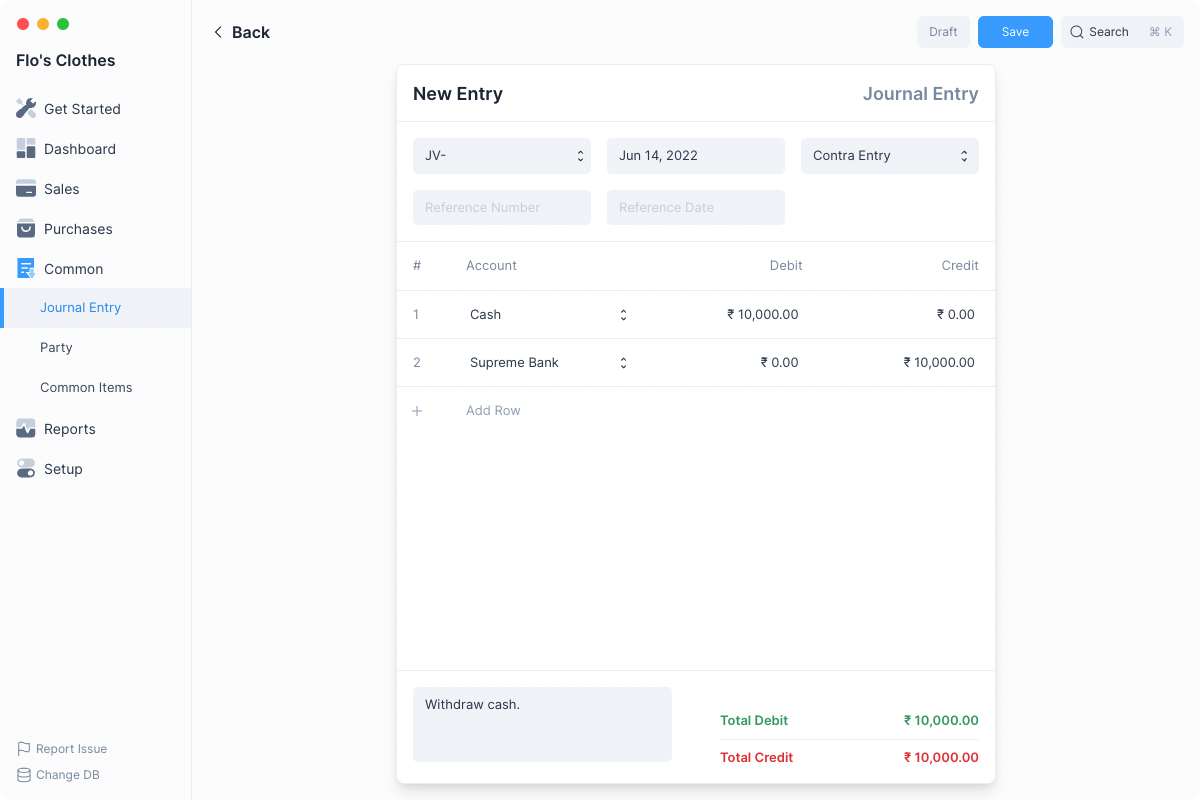
- Set the type of Journal Entry.
- Add rows for each Account and set the amounts being credited and debited.
- Click on Save and then Submit.
::: info Double Entry Bookkeeping When making a Journal Entry, you must ensure that the total amount in the Debit column should equal the total amount in the Credit column. :::
After clicking Submit, BOT Books will the make ledger entries and update the account balances
You can check the entries by clicking Ledger Entries under themenu.Examples
These are two examples of how you can make direct Journal Entries to account for transactions that are different from Sales or Purchases.
Recording Expenses
When you have expenses that you pay at the time of purchase, you can record an Expense directly using Journal Entry.
To do so add two rows to a new Journal Entry form, one for Debit and one for Credit.
Let’s say you incur an expense of ₹5,000 for traveling to a client site, and you paid it directly from your Bank Account, then you must add the following rows:

Recording Prepayments
When a customer pays for a product or service that you haven’t delivered yet, it cannot be booked as Income yet. This is a Liability for your business to fulfill later.
To make an entry that reflects this, add two rows to a new Journal Entry form.
- Converts the Lead into a Customer, retaining all relevant information.
- Sets the status of the Lead to Converted.
